If you sell through dealers, you already know the pattern. A dealer calls or emails to check stock. Your sales team checks the ERP, replies an hour later, and by then the dealer has already priced the job with a competitor's numbers. Multiply that by every dealer, every day, and you get a support team buried in admin instead of growing the channel.
A B2B dealer portal fixes this by giving dealers direct, real time access to the information they need, including stock, pricing, order status, and invoices, straight from your ERP, without anyone on your team lifting a finger. This is not a new idea, but the way businesses are implementing it has changed. Instead of years long custom builds, most companies now connect an application for ERP integration that turns existing data into a self service experience dealers actually want to use.
This article walks through what a dealer portal actually does, how ERP integration works, and what to look for if you are evaluating B2B portal software for your own dealer network.
What Is a B2B Dealer Portal?
A B2B dealer portal is a secure, branded website where your dealers log in to manage their own account, including placing orders, checking real time stock and pricing, tracking shipments, downloading invoices, and raising queries, without emailing or calling your team.
Unlike a standard ecommerce storefront built for consumers, a dealer portal is built for repeat, high volume, account based buying. Every dealer can see pricing and stock specific to their contract, tier, and location because the portal pulls that data directly from the ERP rather than using a static price list that can become outdated.
Why Dealer Networks Need This Now
Several pressures are pushing manufacturers, distributors, and wholesalers toward self service portals at the same time.
| Pressure | What it looks like without a portal | What changes with a portal |
|---|---|---|
| Rising order volume | Sales and support teams manually enter phone and email orders into the ERP | Dealers place orders directly and data flows into the ERP |
| Dealer expectations | Dealers compare your process with modern online buying and become frustrated by delays | Dealers get instant pricing, stock, and order visibility |
| Cost to serve | Headcount increases as order volume grows | Repetitive admin is automated, reducing the need for additional manual work |
| Slow cash collection | Invoices remain in inboxes and payments can take longer | Dealers can view statements and pay online |
| Pricing errors | Sales representatives quote from outdated spreadsheets | Pricing is pulled from the ERP so current pricing is available |
How ERP Integration Actually Works
The portal itself is only half the story. The real value comes from how closely it is connected to your ERP.
Here is what that connection typically covers:
- Real time pricing: Dealer specific price lists, discount tiers, and contract pricing can be pulled directly from the ERP rather than maintained in a separate spreadsheet.
- Live stock and availability: Dealers can check current inventory before placing an order, helping reduce orders for unavailable products.
- Order submission and history: Orders placed through the portal can flow directly into the ERP, reducing manual data entry.
- Invoices and statements: Dealers can view, download, and pay open invoices without contacting the accounts team.
- Account and credit visibility: Credit limits, outstanding balances, and payment terms can be displayed based on the dealer account.
- Shipment and delivery tracking: Order status and delivery information can be connected with ERP or logistics systems.
Modern platforms can use a low code integration and automation layer instead of relying entirely on a one time custom integration. This can make it easier to adapt the portal when business processes, ERP fields, or workflows change.
Core Features of a Strong Dealer Portal
Not every portal needs to include every feature from day one. However, the following capabilities can make B2B partner portal software much more useful than a basic online order form.
- Account based access: Each dealer can see the information relevant to their account, including pricing, products, orders, and invoices.
- Bulk and repeat ordering: Dealers can reorder products from their previous purchases, upload order sheets, or manage regular orders.
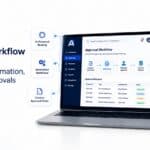
- Approval workflows: Large or unusual orders can be sent for approval before they are processed.
- Self service returns: Dealers can raise and track return requests without making a phone call.
- Document access: Order confirmations, delivery notes, invoices, product information, and other documents can be accessed when needed.
- Multiple pricing levels and catalogues: Dealer groups can have different pricing, discounts, and product ranges.
- Mobile friendly access: Dealers can use the portal from a showroom, warehouse, job site, or other location without needing a desktop computer.
What to Compare When Evaluating Options
If you are shortlisting B2B customer portal vendors, the main differences often appear in the actual platform capabilities rather than the marketing claims.
| Evaluation area | Questions worth asking |
|---|---|
| ERP compatibility | Does it connect with your specific ERP, or will you need custom integration? |
| Build approach | Is it a fixed product, or can your team configure it according to your processes? |
| Data freshness | Are pricing and stock updated in real time or through scheduled synchronisation? |
| Ownership after launch | Can your team make changes, or will you need the vendor for every update? |
| Scalability | Can the system support more dealers, products, and orders as the business grows? |
| Deployment model | Is it available through public cloud, private cloud, or on premises deployment where required? |
A Practical Rollout Path
Companies that succeed with dealer portals often avoid trying to launch every feature at the same time. A practical rollout can follow this sequence:
- Start with the highest friction task: Usually this is order status, pricing checks, or stock availability because these generate frequent calls and emails.
- Connect the ERP for information access first: Make sure stock, pricing, product, and account information is accurate before enabling online ordering.
- Enable ordering for a small dealer group: Pilot the portal with selected dealers and use their feedback to improve the experience.
- Add invoicing and payments: Once ordering is working reliably, add financial self service features.
- Expand across the dealer network: Roll out in stages to make adoption easier and keep the support workload manageable.
Common Mistakes to Avoid
- Treating it as a one time IT project: Dealer requirements can change, so the portal should be flexible enough to adapt.
- Launching with incomplete or inaccurate data: If pricing or stock information is incorrect, dealers can quickly lose confidence in the portal.
- Ignoring mobile users: Dealers may place orders from a warehouse, showroom, or job site rather than from a desktop.
- Skipping dealer training: Even an easy to use portal benefits from a short onboarding session.
- Underestimating integration requirements: A customised ERP may require more detailed data mapping and workflow configuration than a standard installation.
Conclusion
A dealer portal is not really about technology for its own sake. It is about removing the friction that slows down orders, pricing checks, stock enquiries, and invoice requests.
When properly connected with your ERP, a B2B dealer portal gives dealers faster access to the information they need while giving your sales and support teams more time for work that requires human attention.
The best approach is to start with the processes that create the most manual work, connect them with accurate ERP data, test the experience with a small dealer group, and then expand the portal as adoption grows.
FAQ
- Q1. What is the difference between a B2B dealer portal and a B2B ecommerce site?
- An ecommerce site is often designed for general buyers and can support anonymous purchasing. A dealer portal is designed for known business accounts with individual pricing, credit terms, product access, and order history connected to the business system.
- Q2. Do dealers need training to use a portal?
- Most modern portals are designed to be easy to use. However, a short onboarding session can help dealers understand the ordering process and encourage faster adoption.
- Q3. Can a dealer portal work with a heavily customised ERP?
- Yes, provided the integration platform can work with the specific data fields, processes, and workflows used by the business.
- Q4. Is real time pricing necessary, or is a daily update enough?
- Real time pricing can be important for dealer networks where customers need to prepare quotes quickly. Outdated pricing can create confusion, especially when the final invoice does not match the price the dealer expected.
- Q5. How long does it take to launch a dealer portal?
- The timeline depends on the ERP, number of integrations, data structure, security requirements, and features involved. A low code approach can help businesses launch a working pilot faster than a fully custom development project.
- Q6. Can a dealer portal support different pricing for different dealer tiers?
- Yes. Pricing, discounts, product access, and catalogues can be configured according to dealer groups, regions, contracts, or other business rules.