To create a customer portal that encourages self-service, connect it to your ERP so customers see live order, invoice, and delivery data, then build it around the requests that generate the most calls and emails. Customers use a portal when it answers their question faster than a phone call or email would. For manufacturers, distributors, and wholesalers, an ERP-integrated B2B portal software approach on a low-code platform is the fastest way to get there.
What is a self-service customer portal?
A self-service customer portal is a secure online platform where customers access their own account information and complete routine tasks without contacting an employee. Typical tasks include checking order status, downloading invoices and statements, viewing documents, tracking deliveries, placing orders, and making payments. The portal is available 24/7 on desktop, tablet, or smartphone.
Low-code customer portal development uses drag-and-drop tools to build branded portals quickly. Applications Platform reports that at least 90% of applications built on its platform are either code-free or use only simple scripts for field formulas.
Which requests should the portal handle first?
Start with the repetitive requests that currently reach your customer service team by phone or email. Common examples include:
- Order status and delivery tracking
- Invoice copies, statements, and credit memos
- Price lists, policies, and other documents
- Placing and repeating orders
- Making payments against open invoices
- Raising support requests
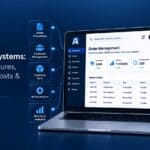
A sensible launch scope mirrors the standard modules in Applications Platform's template: order placement and management, statement access, credit memos, deliveries, and online payments. Launch with the few tasks that remove the most inbound requests, then expand. A focused portal that works is more useful than a broad one that confuses customers.
Why does ERP integration decide whether customers use it?
Customers stop using a portal the first time its data is out of date. Connecting the portal to your ERP means customers see the same order, invoice, and stock information your staff see, so there is no reason to call and check.
Applications Platform's integration capabilities cover ERPs such as SAP Business One, Microsoft Dynamics 365 Business Central, Sage 200, 300, 1000 and X3, Epicor, SYSPRO, and Access Dimensions. The same approach connects CRM, eCommerce, payment, and courier systems. A low-code integration engine can connect to most data sources through ODBC, OLEDB, APIs, SOAP, and RESTful web services. Integration also cuts repetitive two-way data entry for your internal team, which is a second benefit beyond fewer calls.
How do you make self-service easier than calling?
Design choices decide whether customers change their habits. Based on the platform's documented features:
- Personalised views. Authenticated users log in and see data tailored to their account, and can update details such as contact information. Unauthenticated users get a standard view and can submit information without identifying themselves.
- Your branding. Custom CSS and your company logo make the portal feel like part of your business.
- Any device. A responsive interface means customers can check an order from a desk or a warehouse floor.
- Online payments. The template includes a secure area for multi-currency credit, debit, and ePayment transactions, and payment gateways such as Stripe, PayPal, and Worldpay are supported.
- Document access. Customers can download statements, price lists, and reports in formats such as PDF, Word, Excel, CSV, and XML.
Stronger cash flow and reduced inbound calls are two benefits Applications Platform lists for portals that support these features.
What security should a customer portal have?
Customers will only trust a portal with account and financial data if access is tightly controlled. Applications Platform portals use SSL and HTTPS, and offer single sign-on, LDAP authentication, password expiration policies, and IP whitelists. These let an administrator decide exactly who can see and change what. Security should be set up before launch, not added afterwards.
How should you build it: template, self-build, or services?
You have three practical routes:
- Start from a template. A B2B customer portal template provides a preconfigured foundation for orders, invoices, statements, and payments that you customise to fit your processes.
- Self-build. Drag-and-drop tools mean developers and non-technical users can modify fields and pages. The technical requirement is a computer and an internet connection, and you can try a demo environment first.
- Use professional services. Applications Platform states that two thirds of its customers don't self-build. Its professional services team scopes, builds, and deploys the portal for you.
If you are weighing up building a customer portal in-house against outsourcing, consider how much internal development time you can spare and how many systems need connecting.
What mistakes should you avoid?
This is general guidance rather than a documented case study:
- Launching with stale or disconnected data. If the portal isn't fed by your ERP, customers will go back to calling.
- Building everything at once. Begin with your highest-volume requests.
- Ignoring branding and usability. A portal that looks unfamiliar is harder to trust and adopt.
- Leaving security until last. Decide roles and authentication up front.
- Skipping the customer journey. Test the tasks customers do most, such as finding an invoice or checking a delivery, from their side.
What should you know before you start?
Before you begin, list your top repetitive requests, name the ERP and other systems the portal must connect to, decide which user roles need which access, confirm whether you need online payments, and choose your build route. Having these answers shortens the project and keeps the scope realistic.
FAQ
- Q1. How can a B2B customer portal improve customer self-service?
- It lets customers check order status, download invoices, access documents, submit support requests, and track approvals without contacting an employee each time. When it is connected to ERP and CRM systems, the information is current and repetitive manual work for your team falls.
- Q2. Can a customer portal connect to my ERP?
- Yes. Applications Platform's integration engine connects portals to on-premises and cloud systems, including several major ERPs, using ODBC, OLEDB, APIs, SOAP, and REST.
- Q3. Do I need developers to build a customer portal?
- Not necessarily. Low-code tools and templates let non-technical users customise a portal, and professional services are available if you lack in-house resources.
- Q4. What types of portals can I create on the platform?
- Customer portals, supplier or trading partner portals, employee and HR portals, purchase order processing portals, customer service portals, communications portals, and product returns portals.