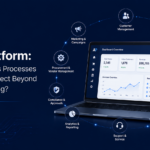
As businesses grow, the number of applications they use often grows with them. Teams may rely on separate systems for finance, customer management, HR, projects, documents and daily operations. While each application may serve a useful purpose, employees can end up switching between multiple platforms, logins and interfaces throughout the day.
An apps portal provides a way to bring these applications together through one organised digital workspace. Instead of replacing every system, it can give employees a central place to find and access the tools they need, making everyday work easier to navigate and more connected.
Why Business Apps Become Scattered Across Teams
Application sprawl often happens gradually. One department may introduce a tool for managing projects, while another adopts separate software for finance, customer information or document management. As new business requirements emerge, more applications are added without always considering how they will work together.
Over time, employees may need to switch between several platforms to complete a single task. Important information can also become spread across different systems, making it harder to know where to find the right application or data.
This becomes more noticeable as businesses grow. New employees need to learn multiple systems, teams may use different tools for similar activities, and IT teams have more applications to manage. An apps portal can provide a central access point without requiring the business to immediately replace these existing applications.
What Is an Apps Portal and How Does It Create One Digital Workspace?
An apps portal is a central digital workspace that gives users one place to find and access the business applications, tools and information they need. Rather than searching across different systems, employees can use the portal as a starting point for their daily work.
The basic structure can be:
Employee → Apps Portal → Business Applications
The portal can bring together access to ERP, CRM, HR systems, document management, reporting tools, workflows and other business applications. Users can be given access based on their role, department or responsibilities, so they see the applications relevant to them.
The important point is that an apps portal does not necessarily replace existing software. It provides a more organised way to access those systems, creating a connected workspace while allowing each application to continue performing its specific function.
What Can You Bring Together in an Apps Portal?
An apps portal can provide a central access point for many of the applications employees already use. The exact mix will depend on the organisation, but it can include systems such as:
- ERP for finance, operations, inventory and business data
- CRM for customer and sales information
- HR applications for employee-related processes
- Finance tools for payments, expenses and reporting
- Project management systems for tasks and collaboration
- Document management for accessing important files
- Customer and supplier applications for external business processes
- Reporting dashboards for business performance information
- Workflow applications for approvals and automated processes
Bringing these applications into one workspace does not mean combining them into a single system. Instead, the apps portal provides a central starting point from which users can access the tools and information relevant to their role.
How an Apps Portal Can Improve Everyday Work
When employees have to move between several applications every day, simple tasks can take longer than necessary. An apps portal can make these interactions easier by providing a central place to find the tools employees need.
Instead of remembering where different applications are located, users can access relevant systems from one organised workspace. This can reduce unnecessary switching between platforms and make it easier for new employees to understand which tools they should use.
A central access point can also improve visibility of available business applications. Employees can find the right system more quickly, while administrators can organise access based on departments, roles or responsibilities.
The goal is not to eliminate every application, but to make a growing collection of business tools easier to navigate and use.
One Workspace Does Not Mean One Application
Creating a single digital workspace does not mean replacing all the applications a business already uses. An apps portal can sit above existing systems and provide a common starting point for accessing them.
For example, the ERP can continue managing finance and operations, while the CRM handles customer information and the HR system manages employee processes. Specialist applications can continue performing their individual functions without requiring the business to migrate everything into one platform.
The apps portal simply brings access to these systems together. Users can see the applications relevant to their role and move between them from one organised environment.
This approach allows businesses to improve the digital experience without taking on the cost and disruption of replacing systems that are already working effectively.
When Should Your Business Consider an Apps Portal?
An apps portal can become valuable when the number of business applications starts making everyday work harder to manage. Common signs include:
- Employees regularly switch between many applications.
- Teams struggle to find the right business tools.
- Multiple logins make access inconvenient.
- New applications are continually being added.
- Employees are unsure which system to use for a particular task.
- Different departments rely on separate tools for similar processes.
If these challenges sound familiar, an apps portal can provide a central workspace for organising application access and making the wider digital environment easier to navigate.
What to Look for in an Apps Portal
When choosing an apps portal, businesses should focus on how well it can organise and connect the applications they already use. Important considerations include:
- Easy application access so users can quickly find the tools they need.
- Role-based access to show applications based on responsibilities.
- Integration capabilities to connect with existing business systems.
- Single sign-on where appropriate to simplify authentication.
- Customisation to match different departments and workflows.
- Security to control access to business applications and information.
- Scalability to support new users, applications and business requirements.
The right apps portal should make a growing application environment easier to manage without forcing the business to replace every system it already depends on.
Conclusion
As businesses add more applications, employees can end up navigating an increasingly fragmented digital environment. Multiple platforms, logins and interfaces can make everyday work harder to manage.
An apps portal provides a central workspace where employees can find and access the applications relevant to their roles while allowing existing systems to continue performing their specific functions.
By bringing ERP, CRM, HR, finance, project management, document and workflow applications into one organised access layer, businesses can create a more connected digital experience without replacing every system.
For organisations looking to simplify application access, improve navigation and create one digital workspace across their existing business tools, an apps portal can provide a practical and scalable approach.
Frequently Asked Questions
- Q1. What is an apps portal?
- An apps portal is a central digital workspace where users can find and access the business applications and tools they need.
- Q2. How is an apps portal different from an intranet?
- An intranet primarily provides internal information and communication, while an apps portal focuses on organising access to business applications and systems.
- Q3. Can an apps portal connect multiple business applications?
- Yes. An apps portal can provide a central access point for applications such as ERP, CRM, HR, finance, document management and workflow systems.
- Q4. Can users access different applications based on their roles?
- Yes. Role-based access can show users the applications and tools relevant to their department or responsibilities.
- Q5. Does an apps portal replace existing business software?
- Not necessarily. It can provide a central access layer while existing applications continue managing their specific business functions.